
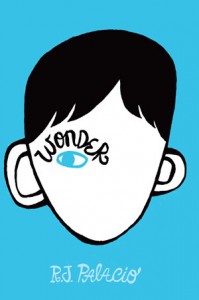
 I’m always looking for good middle grade fiction that is safe for the whole family to listen to in the car. When my writing buddy Muddy Kinzer gave Wonder an enthusiastic review, I found the book on Audible.com and cued up the story for a family road trip.
Wonder is now one of my favorite middle grade books! Thanks Muddy!
The Premise
August (Auggie) Pullman was born with a horrible facial deformity, the result of bad genetic combinations and more than one rare birth defect. He has endured several surgeries and has never attended school because of his fragile condition.
But when it’s time for Auggie to start fifth grade, he’s more medically stable, and his parents decide to send him to a real school. With real kids. As you can imagine, ten-year-old Auggie has some serious concerns about going.
Wonder tells the story of Auggie’s fifth grade year at Beecher Prep. And because R.J. Palacio uses multiple points of view in the narrative, readers get to see not only how Auggie grows from the experience, but also how his peers do.
What I love about this book
1. Voices
Wonder is divided into several parts, each with a different character point of view. Auggie opens and closes the novel, getting the most “page time”. He uses kid-friendly terms to explain how it feels to live with his deformity. For example, he says that the school secretary gives him a “shiny smile” when she first meets him. Shiny smile = a fake, too big, smile people use when they feel uncomfortable.
I especially enjoyed the POV of Auggie’s older sister Via. She describes the universe of her family: Auggie is the sun, and she and her parents are the planets spinning around him. Her words aren’t resentful, just terribly honest, and compelling.
The other voices include a few of Auggie’s and Via’s friends I like how Palacio portrays how Auggie’s situation affects the people around him. The peripheral characters earn my empathy and attention just as much as Auggie does.
2. Realism
Palacio captures how kids speak to each other. The scenes at home and at school felt real and not over-dramatic. For example, the kids at school start a secret game of “Plague”: anyone who touches Auggie is “infected” and must wash his/her hands immediately.
Cruel, but very possible.
3. Precepts
One of my favorite adult characters is Auggie’s English teacher. (Of course, right?) Every month Mr. Browne gives his students a precept, or motto, to think about, and he opens the year with this one:
When given the choice between being right or being kind, choose kind. – Dr. Wayne Dyer.
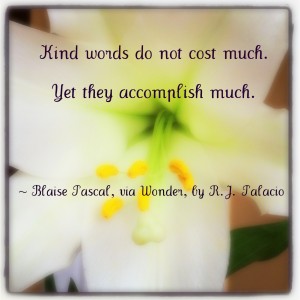 That’s good, isn’t it? So are the rest. You can find all of them on R. J. Palacio’s Tumbler. I love any fiction that includes BIG IDEAS and gets you to think about important stuff. My daughter and I chose our favorite precepts and discussed why we liked each one.
Some of the BIG IDEAS Wonder addresses are straightforward: friendship, loyalty, and judging appearances. But some are more tricky. Like, is it ok to break a rule if you are protecting a friend? And, what’s the difference between protecting someone and babying someone?
4. Performance
We listened to the audio book of Wonder, which is read by a few different actors to portray each voice. My husband didn’t care for Auggie’s hoarse voice, but it seemed true to his character. Other than that, my family enjoyed listening!
Have you read Wonder yet? No? Go out and get it. It’s fantastic!
Is there another book about kids dealing with disabilities that you really like? Do you have a favorite precept/ quote/ or motto? Share in the comments, please!
Thanks for stopping by!
Julia